

Disclosure: This page may contain affiliate links. I may earn a commission at no extra cost to you if you purchase through one of these links.
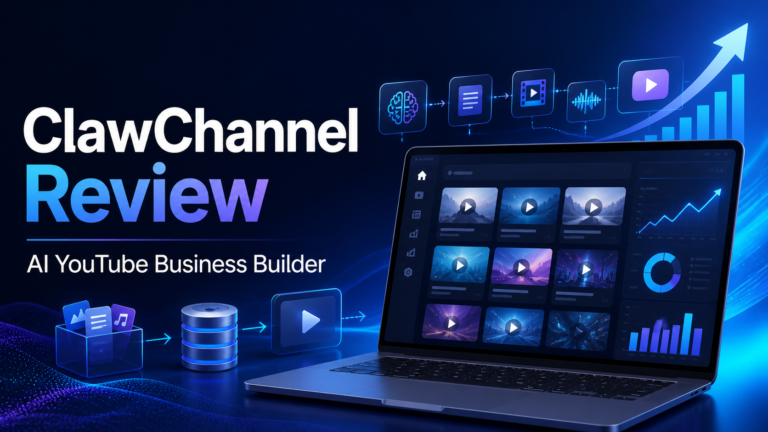
Creating a faceless YouTube channel sounds simple until you list everything involved. You need to research a niche, plan topics, write scripts, record voiceovers, create visuals, design thumbnails, optimize metadata, and publish consistently. ClawChannel is presented as an AI YouTube Business Builder That Builds, Runs & Monetizes a Complete Faceless YouTube Channel by bringing these tasks into one automated workflow.
The product is marketed as the “world’s first” autonomous AI YouTube business builder, although that is the vendor’s own positioning rather than an independently verified claim. Its main appeal is straightforward: instead of switching between multiple tools, users can ask an AI agent to produce and manage much of a channel-building workflow from one platform.
This review looks at what ClawChannel is designed to do, who it may suit, how beginners can use it responsibly, and what limitations to consider before buying. AutoClip Agent Review: The World’s First AI “Video Employee” That Creates, Posts & Monetizes Videos
What Is ClawChannel?
ClawChannel is an AI-powered platform for creating and operating faceless YouTube channels. A faceless channel normally publishes narrated videos, educational content, list videos, explainers, stories, or other formats that do not require the owner to appear on camera.
According to its sales material, ClawChannel includes an AI agent called ChannelAgent. The agent is designed to help with niche research, scriptwriting, voiceover production, video creation, thumbnail design, YouTube SEO, uploading, and monetization-related workflows.
The platform also promotes the ability to create batches of 10 to 50 videos. This could help users prepare a content library faster than producing every asset manually. However, creating many videos does not automatically make them useful, original, or successful. Each video should still be checked for accuracy, quality, and compliance with YouTube’s policies.
How the AI YouTube Business Builder Works
The central idea is a “one-button” process. In practice, good results will still depend on the instructions, niche, settings, and editorial review provided by the user. Automation can carry out repetitive production tasks, but the channel owner remains responsible for what is published.
1. Niche and Topic Research
ChannelAgent can help identify a niche and generate potential video topics. A beginner might select a broad market such as home organization, personal productivity, pet care, software tutorials, or beginner gardening.
A useful niche should have enough topic variety for regular publishing while remaining focused enough for viewers to understand the channel. For example, “technology” is extremely broad. “Simple software tutorials for small business owners” gives the channel a clearer audience and purpose.
2. AI Script Creation
After choosing topics, the platform can generate scripts. This removes the difficulty of starting with a blank page and may make content planning more efficient.
AI-generated scripts should not be published without review. Check facts, remove repetition, improve transitions, and add original examples. For health, legal, financial, or safety-related subjects, stronger fact-checking and appropriate disclaimers are especially important.
3. Voiceover and Video Production
ClawChannel is designed to turn scripts into voiceovers and faceless videos. This may be useful for people who do not own recording equipment, dislike speaking on camera, or want a repeatable production system.
Before publishing, listen to the complete narration. Confirm that names are pronounced correctly, pauses sound natural, and the voice matches the topic. Review the visuals as well. They should support the narration rather than appearing random or misleading.
4. Thumbnail Design
The platform can create thumbnails for generated videos. Thumbnails play an important role in helping viewers understand what a video offers, but they should accurately represent the content.
A clear thumbnail often uses one main image, a strong visual contrast, and only a few readable words. Avoid exaggerated claims that the video cannot support. Misleading thumbnails may attract a click, but they can also reduce trust.
5. YouTube SEO and Uploading
ClawChannel can help prepare titles, descriptions, keywords, and uploads. This can save time when managing a larger content schedule.
YouTube SEO is not a guarantee of rankings or traffic. Titles and descriptions should be written primarily for viewers. Use natural language, explain the benefit of watching, and make sure the opening of each video quickly delivers on its title.
6. Monetization Workflows
The software is promoted as a tool that can help monetize a channel. Possible channel business models may include YouTube advertising, affiliate marketing, sponsorships, digital products, services, or lead generation.
Using the software does not guarantee approval for the YouTube Partner Program or any level of income. Eligibility depends on YouTube’s current requirements, channel quality, policy compliance, audience response, and other factors. Reused, repetitive, or low-value automated content may face monetization limitations.
Who May Find ClawChannel Useful?
ClawChannel may appeal to beginners who want structured help with video production but do not know how to combine separate research, writing, voice, editing, design, and publishing tools.
It may also be relevant for:
- Affiliate marketers building educational content around a niche.
- Small business owners who want to answer customer questions on YouTube.
- Bloggers who want to adapt existing articles into video formats.
- Freelancers producing faceless content for clients.
- Creators who want to test topics before investing in manual production.
- Channel owners who need help maintaining a consistent workflow.
It may be less suitable for creators who want complete artistic control, cinematic editing, highly personal storytelling, or original on-camera content. Those formats usually require more hands-on production.
Potential Benefits of ClawChannel
A More Centralized Workflow
Managing multiple subscriptions and moving files between tools can be confusing. A centralized system may reduce those steps and make the process easier to follow.
Faster Content Preparation
Batch creation can help users prepare several videos in one production session. This is useful for planning ahead, although publishing every generated video immediately is rarely necessary.
Lower Technical Barriers
Beginners may not know how to edit video, record audio, or design thumbnails. AI assistance can provide a starting point while they learn which elements make content valuable.
Consistent Production Structure
A repeatable process makes it easier to move from topic selection to publishing. Consistency does not guarantee channel growth, but an organized workflow can prevent projects from stalling.
Limitations and Important Considerations
“Autopilot” should not be interpreted as “no oversight required.” AI can generate inaccurate statements, awkward narration, mismatched visuals, repetitive scripts, or generic advice. Publishing these issues at scale may damage a channel rather than build it.
Users should also consider licensing and usage rights. Confirm that generated voices, images, footage, music, and other assets can be used for the intended commercial purpose. Read the platform’s current terms because features and licenses may change.
YouTube expects creators to follow its policies, including rules related to spam, deceptive practices, copyright, altered or synthetic content, and monetization. The channel owner—not the automation tool—is ultimately responsible for compliance.
Finally, results depend on factors the software cannot control. Topic demand, competition, audience satisfaction, retention, originality, and publishing decisions all influence performance. No tool can honestly guarantee views, subscribers, rankings, monetization approval, or income.
A Practical Beginner Workflow
Instead of generating 50 videos and publishing them without review, start with a small test. The following process provides more control.
- Choose one defined audience. Write a simple statement such as, “This channel helps new Etsy sellers improve basic product photography.”
- Create three content categories. For that example, categories could be lighting, smartphone camera settings, and simple editing.
- Generate five video ideas. Keep each idea focused on one clear question or problem.
- Produce two test videos. Review the scripts, narration, visuals, titles, descriptions, and thumbnails carefully.
- Check every claim. Correct factual errors and add useful examples that make the video more original.
- Publish on a realistic schedule. Give yourself time to evaluate quality rather than uploading a large batch at once.
- Review YouTube analytics. Look at impressions, click-through rate, average view duration, and viewer comments. Treat the data as feedback, not a promise of future performance.
- Improve the next batch. Adjust weak openings, confusing thumbnails, or topics that do not match audience needs.
Example Faceless Channel Plan
Imagine a small business owner creates a channel about productivity tools for solo entrepreneurs. The target viewer is someone who feels overwhelmed by everyday administrative work.
The owner could use ClawChannel to research questions such as “How do I organize client tasks?” or “What should a simple weekly business review include?” ChannelAgent could then draft scripts, create narration, assemble videos, design thumbnails, and prepare upload details.
The business owner would review each script, test any software steps mentioned, replace generic advice with practical demonstrations, and add an appropriate call to action. Some videos might recommend relevant tools through disclosed affiliate links, while others could lead viewers to a free checklist.
This approach uses automation for production without removing human judgment. It also gives the channel a specific audience and a useful reason to exist.
Is ClawChannel Worth Considering?
ClawChannel may be worth exploring if your biggest obstacle is the number of tasks required to run a faceless YouTube channel. Its broad workflow could reduce the need to learn several disconnected tools immediately.
Its value will depend on current pricing, included usage limits, output quality, licensing terms, support, and how well the workflow matches your plans. Review the latest sales page and refund terms before purchasing because product details can change.
The best mindset is to treat ClawChannel as a production assistant rather than a guaranteed business in a box. Human direction, fact-checking, audience understanding, and quality control still matter.
Conclusion
ClawChannel aims to simplify faceless YouTube creation by combining niche research, scripts, voiceovers, videos, thumbnails, SEO, uploading, and monetization-related tools in one system. For beginners and small business owners, that could make an otherwise complicated process more approachable.
At the same time, automation should support a thoughtful content strategy—not replace one. Start with a small batch, review every output, follow YouTube’s policies, and focus on helping a defined audience. That is a more responsible approach than expecting one button to produce automatic traffic or income.
If the all-in-one workflow fits your plans, you can visit the ClawChannel sales page here to review its current features, price, license details, and purchase terms.
Affiliate disclosure: This article contains an affiliate link. If you purchase through it, the publisher may receive a commission at no additional cost to you. This does not guarantee that the product will be suitable for your needs or produce specific results.
Frequently Asked Questions
What is ClawChannel?
ClawChannel is an AI-powered platform designed to help create and manage faceless YouTube channels. Its advertised workflow covers research, scripts, voiceovers, video creation, thumbnails, optimization, uploading, and monetization-related tasks.
Can ClawChannel create videos automatically?
The platform is designed to automate multiple stages of video production and can reportedly create videos in batches. Users should still inspect scripts, facts, voices, visuals, licenses, and metadata before publishing.
Does ClawChannel guarantee YouTube monetization?
No. A tool cannot guarantee YouTube Partner Program approval, traffic, subscribers, or income. Channels must meet YouTube’s current eligibility and policy requirements, and performance depends on content quality and audience response.
Is ClawChannel suitable for beginners?
It may be suitable for beginners who want a guided, centralized workflow. New users should start with a few test videos rather than immediately creating and publishing a large batch.
Do I need to appear on camera?
No. ClawChannel is designed for faceless content using generated narration and supporting visuals. However, you remain responsible for ensuring that the finished video is accurate, original, useful, and compliant.
Can I use ClawChannel for affiliate marketing?
Potentially. You could create useful videos around relevant products and include properly disclosed affiliate links. Follow YouTube’s policies, applicable advertising rules, and each affiliate program’s terms.



Leave a Reply